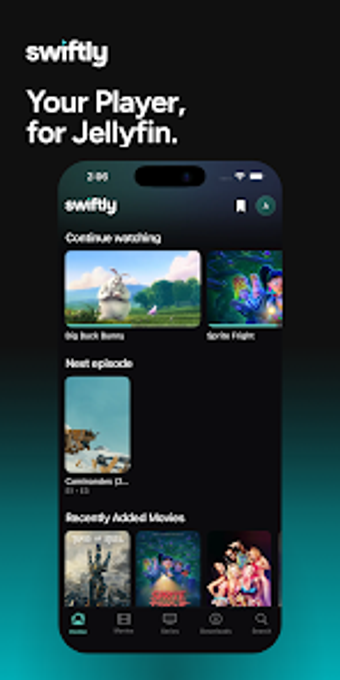
Native Jellyfin playback with fast Direct Play and offline viewing
Plays media directly from Jellyfin servers using Direct Play to avoid server re-encoding, offers PiP, offline downloads and cross-device resume in practice. Paul Herter built Swiftly Player as a native Android multimedia client that focuses on high-performance playback and privacy. Key capabilities include multi-server account switching, Seerr integration for requests, and Android TV support, aimed at Jellyfin users who control their own media servers and value original-quality playback.
How Swiftly handles playback for personal Jellyfin libraries
Swiftly targets direct client-side playback by preferring Direct Play and Direct Stream for common codecs, which keeps the media in its original quality and reduces server processing. It requires a Jellyfin server (version 10.8 or newer) to access content, and it supports multiple servers and accounts so you can switch between libraries without reconfiguring credentials.
What formats and offline workflows it supports
Format support is focused on common codecs so the app avoids forcing transcoding on the server for typical MP4, MKV, and common audio codecs. Offline downloads let you store films and episodes on the device for playback without an active connection. Integration with Seerr also lets you request new media from the interface rather than leaving the player to find content elsewhere.
How the interface, onboarding, and controls behave
The interface prioritizes fast, native controls and offers Picture-in-Picture for multitasking on Android devices, including Android TV compatibility. The app exposes resume-on-this-device functionality to hand off playback across platforms, and the layout keeps library navigation and playback controls close together for quick access during viewing sessions.
Performance, output fidelity, and practical limits
Playback performance emphasizes preserving original quality, which reduces server load when Direct Play is possible and keeps exports identical to source during viewing. What's more, automatic Skip Intro and Skip Credits work via Jellyfin plugins, but the app depends on server-side support for those behaviors. Offline use and minimized tracking support reinforce privacy and consistent playback across device types.
In conclusion, Swiftly fits owners of self-hosted Jellyfin setups
Swiftly is best for users who prioritize playing their existing media files in original quality from their own servers and who value a private, ad-free client experience. Expect a focused, play-first approach rather than features that require server conversion or third-party accounts. For anyone running a personal Jellyfin instance and needing reliable local playback, Swiftly is a practical client option.